

Help Centre » CDLI Teacher » Canva » Invite Students to the CDLI Team
Invite Students to the CDLI Team
Click your profile icon in the bottom-left corner, and click the arrow icon in the Teams section. After confirming that the CDLI Team is your active team, click the Copy invite link to copy the invitation link to your clipboard.
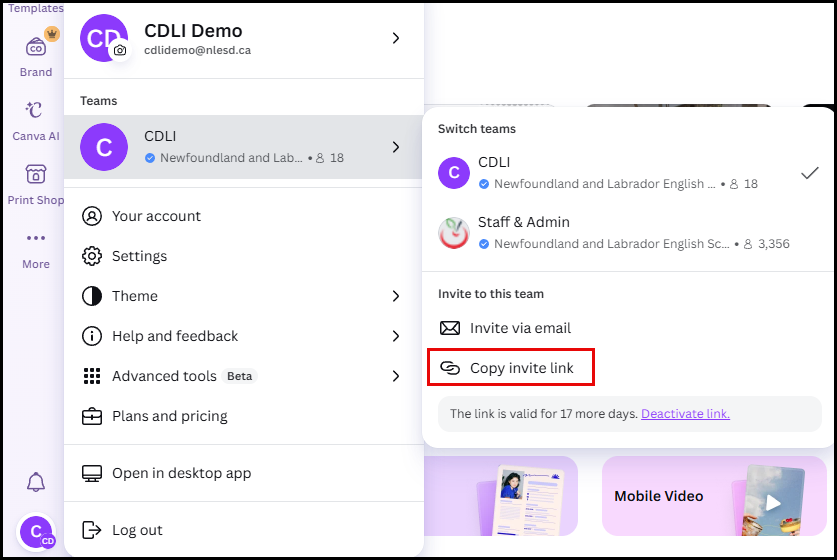
This link can then be posted in your Brightspace course for your students to access.
By default, links are active for 31 days. You cannot renew an existing link. You will need to disable your current link, and then create a new Invite link by clicking Deactivate Link, then clicking Copy invite link again to copy the new link to your clipboard.